
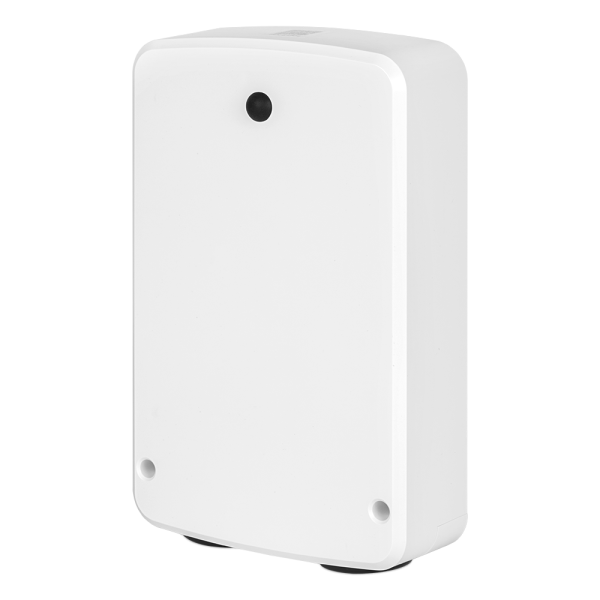

5 Year Warranty
This device is covered under an extended 5-year warranty if registered within 30 days of purchase. We'll service and replace it if anything breaks.

Z-Wave Long Range
Get incredible wireless coverage up to 1300 feet with reliable direct-to-hub communication. It sets up instantly with SmartStart pairing.

Trusted Support
Our US-based tech support team provides clear wiring diagrams and tailored instructions to help with your next Z-Wave project.

S2 Security
This relay uses the highest level of encryption and 800 series Z-Wave chip for safe wireless connection. Build a private network off cloud with confidence.
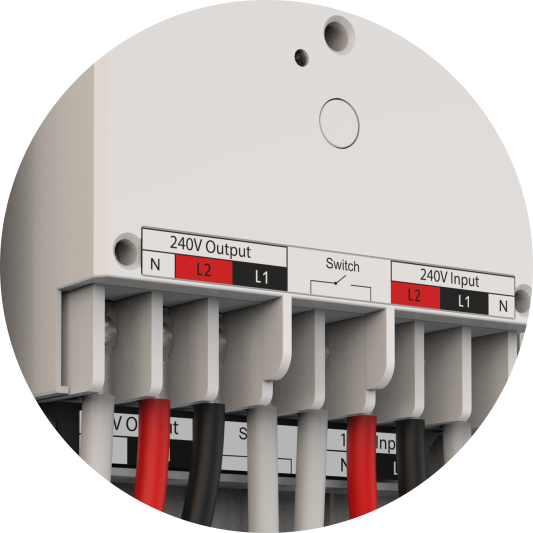
POWERFUL RELAY
Built for heavy duty automation, this device works great with 240 V commercial applications, handling loads up to 40 Amps. Connect pumps, motors, large lighting set-ups and more.
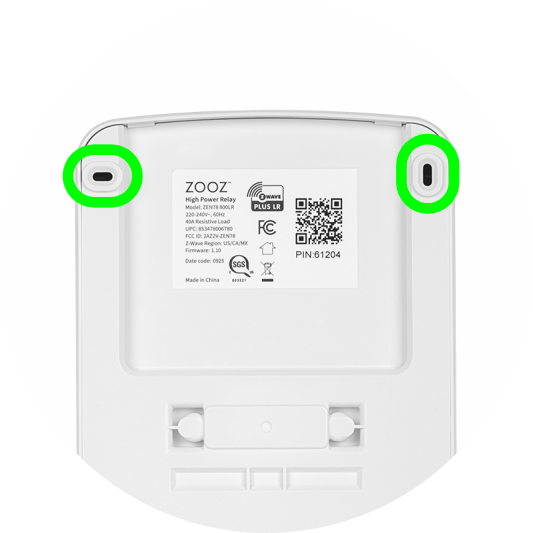
WALL MOUNT
Enjoy flexible installation with adjustable mounting inserts. Make sure to put the device in a weatherproof box if installing outdoors.
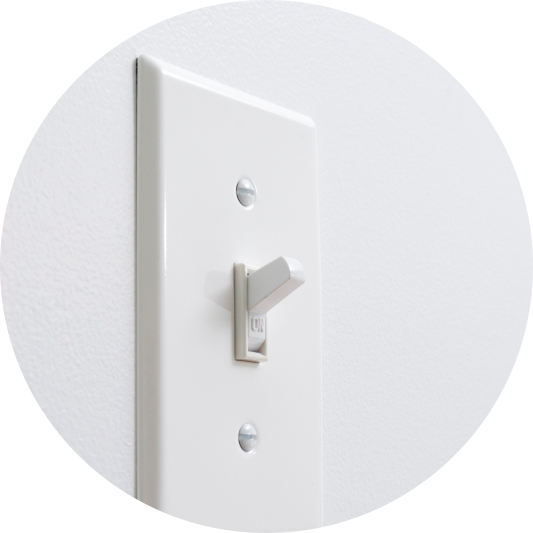
OPTIONAL SWITCH
Connect a momentary or toggle switch to the dry contact terminals of the High Power Relay to act as a manual control for the load.
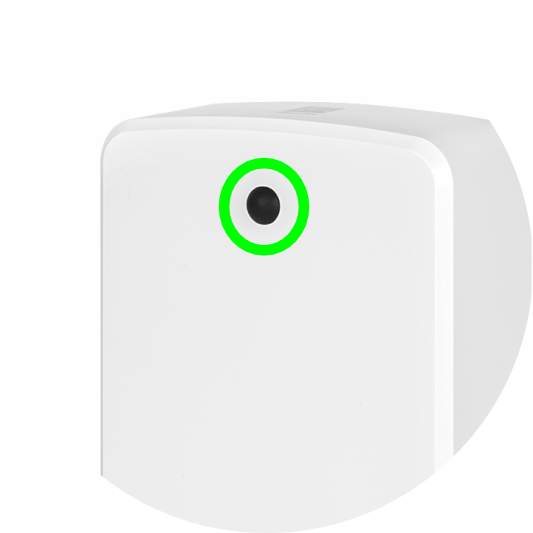
HANDY BUTTON
The Z-Wave button turns the connected load on/off. It's also used for pairing with your Z-Wave hub or for factory reset.
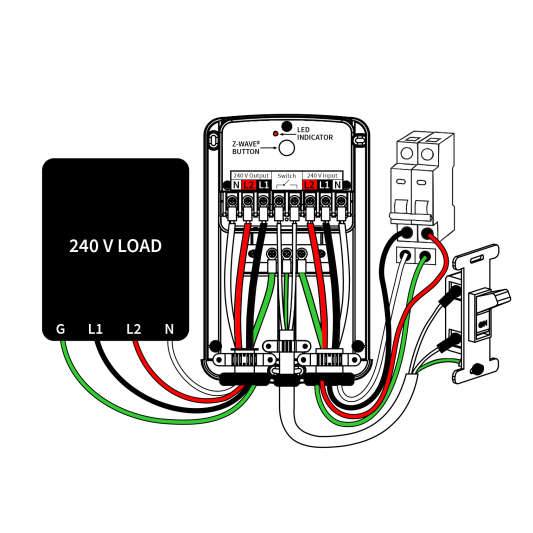
WIRING
The device includes screws, wire clamps, and spade connectors for easier terminal installation. Diagrams and wiring tips are available in the Support Portal.
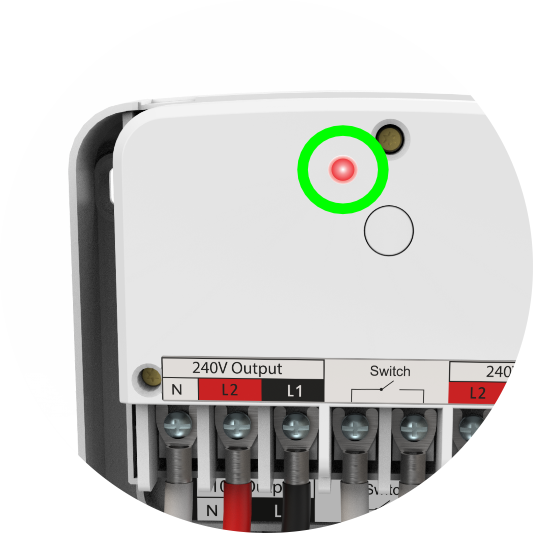
LED INDICATOR
The relay's LED indicator flashes, pulses, or lights up red for easy troubleshooting, signaling communication, operation status, and factory reset.

SGS CERTIFIED
SGS certification ensures the relay meets global electrical safety standards. This means verified product safety and reliable performance.
Z-WAVE CHIP
The Z-Wave 800 chip provides the relay with rock-solid reliability and longer reach, while boosting efficiency for a smoother, lower-power network.
Z-Box Hub (recommended for all Zooz products)
Home Assistant (Z-Wave JS)
HomeSeer (Z-Wave Plus or Z-Wave JS Front End)
Hubitat (custom driver coming soon)
Indigo (NOTE: no security, Indigo does not support S2 Z-Wave security)
SmartThings Hub (custom driver needed to access advanced settings, coming soon)
If you don’t see your Z-Wave hub on this list, click hear to learn more about compatibility.
DEVICE BASICS
The ZEN78 High Power Relay is a 40A-rated relay with built-in overcurrent protection, triggering at 40.5A. It features two double-pole 40A relays (for both input and output), allowing it to disconnect both hot legs (L1 and L2) simultaneously—ideal for 240VAC applications.
It includes a dry contact switch terminal for connecting a wired mechanical switch, enabling manual on/off control. Additionally, the unit features an onboard action button for manual operation, Z-Wave inclusion/exclusion, and factory reset functions. Important Note: The ZEN78 is not IP66 rated and must be installed indoors only. It also includes an integrated temperature sensor for added protection and monitoring.
What is the operating temperature of the device?
32-104° F (0-40° C)
What are the dimensions of the ZEN78?
8.6” x 5.5” x 2”
Is the ZEN78 available in other colors?
No.
Where can I find the device manual for the ZEN78?
How much power is consumed by the ZEN78?
The ZEN78 will need up to 1 W to operate within a Z-Wave network.
The amount of power it uses depends on how busy the network is and how many messages it needs to relay.
What security level does the ZEN78 pair to my controller or hub with?
The highest level of security the Heavy Duty Relay supports is S2 Authenticated.
Will the ZEN78 act as a signal repeater for other Z-Wave devices in my network?
Mesh: Any non-battery powered Z-Wave device will act as a signal repeater; it would be up to your hub whether or not it will be used in a communication route.
Z-Wave Long Range: There are no repeaters in Z-Wave Long Range by nature; it is a hub-to-device direct protocol that does not use repeaters.
INSTALLATION QUESTIONS
Can the ZEN78 be installed outdoors?
The ZEN78 is rated for indoor use only. If you utilize the relay outdoors, it must be in a weatherproof box like the SockItBox: http://www.sockitbox.com/
You may also need a waterproof cord to extend to the box as well depending on your set-up. Just make sure that the temperatures won’t drop below the ZEN78’s operating temperature [32-104° F (0-40° C)] before installing it outdoors.
Can the ZEN78 be used on 120V wiring?
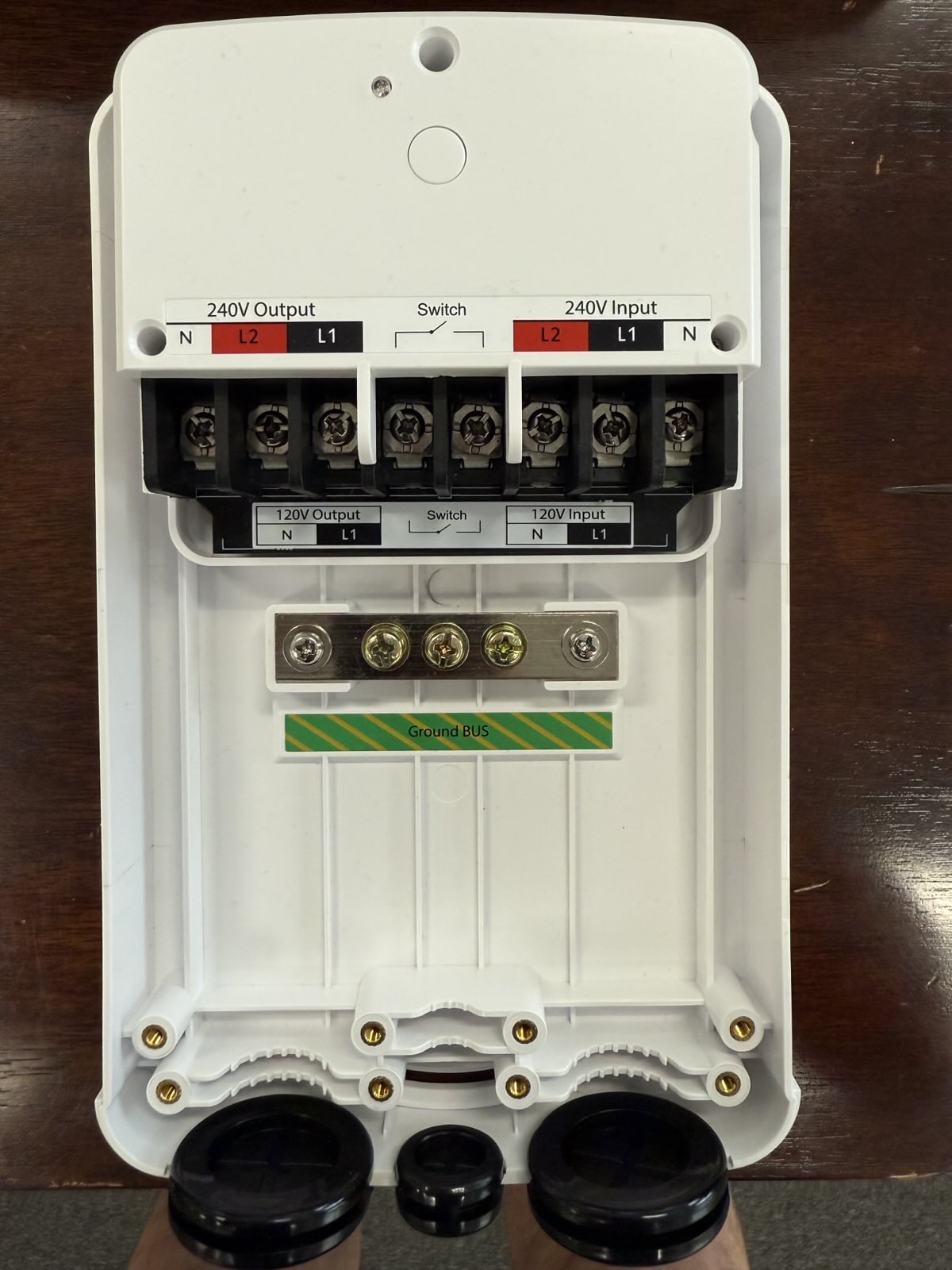
- Yes, it can be used with 120VAC. The terminals on the inside of the ZEN78 are labeled for 120V as well; see image below:
The unit includes crimp-on spade connectors; however, will the terminal screws in the unit accept landing solid wires (10 AWG) directly on the terminals without using the spade connectors?
- If you plan to use 10 AWG solid wire, then there is no need to use spade connectors. You can land the solid wire into the terminals directly. We include them as accessories mainly for installations with stranded wire, so you don’t have to worry about buying additional connectors.
The cables are entering the bottom of the product. Is that the only way the cables have to be exposed?
- While there are no knockouts on the back of the enclosure, the housing is made from ABS plastic composite and can be easily drilled (for example, with a hole saw) to provide additional wire openings if needed. Please note that the ZEN78 is not waterproof, so if you go this route, it will need to be installed inside a waterproof case.
Is there a recommended or minimum wire gauge for the Switch connection on the ZEN78?
- 16-18 AWG (stranded) should be sufficient, and of course a thicker one (14 AWG) would work as well.
PRODUCT FUNCTIONALITY QUESTIONS
What are all of the terminals on the ZEN78 for? What do they do?
240V Input
N : Neutral from the breaker panel (not used in most cases)
L1 : One hot leg from the 240V power source from the breaker panel
L2 : The second hot leg from the 240 V power source from the breaker panel
G : Ground connection from the breaker panel
240V Output
N : Neutral from the load (not used in most cases)
L1 : One hot leg from the 240V load
L2 : The second hot leg from the 240V load
G : Ground terminal on the ZEN78 → Ground on the load
Switch
Optional Wall Switch: A momentary or toggle switch can be connected to the dry contact terminals in the middle of the ZEN78 High Power Relay. The switch acts as an additional manual control of the load and does not carry any voltage.
120V Input
N : Not used
L1 : Line wire from the breaker
L2 : Neutral wire from the breaker panel
G : Ground connection from the breaker panel
120V Output
N : Not used
L1 : Line terminal for 120V connection from the load
L2 : Neutral terminal for connection from the load
G : Ground terminal on the ZEN78 → Ground on the load
Switch
Optional Wall Switch: A momentary or toggle switch can be connected to the dry contact terminals in the middle of the ZEN78 High Power Relay. The switch acts as an additional manual control of the load and does not carry any voltage.
What kind of load is the ZEN78 rated for? What is its maximum rating?
40 A, 9600 W (resistant load)
Can I separate the input from the output?
Yes, you can separate the input trigger from the relay output. By default, the switch will trigger the load. If you disabled the input trigger in Parameter 30, the switch will no longer trigger the load and can be used as a scene control trigger if a momentary switch is connected
Is a wall switch necessary?
No. You don’t need a wall switch to use the ZEN78 as long as your local regulations allow controlling an electrical load without an emergency wall switch.
Z-WAVE QUESTIONS
What is the wireless range of the relay?
Up to 300 feet (or up to 1300 with ZWLR).
Please keep in mind that this Z-Wave range is line-of-sight, which means there would be no wall or obstructions and the hub would be at the same elevation as the relay (not on a different floor of the home).
Mesh: If your relay is not line of sight or is close to or farther than the rated distance, you’ll need Z-Wave repeaters between the relay and the hub.
Remember, if you add a repeating device between the relay and the hub, it is recommended to exclude the relay and re-include it from the target location, so the hub can then utilize the new repeater in the communication route.
If your hub supports Z-Wave Long Range and you include the ZEN78 via ZWLR, remember that ZWLR does not use repeaters; you can learn more about ZWLR in the following two articles:
What is the warranty coverage for the ZEN78?
Zooz 800 series devices are covered by a standard 1-year warranty and by an extended 5-year warranty if registered within 30 days of purchase. Please register your device here and review the full warranty policy here.
Do I need a Z-Wave hub to buy the ZEN78?
Yes. The ZEN78 is a Z-Wave device which would need a Z-Wave hub in order to control or monitor the connected load and customize advanced settings.
To control or monitor any of our Z-Wave devices remotely through your smart phone, you’ll need a compatible Z-Wave hub. These devices require a central controller that communicates with them and sends commands. Once you have a controller, you would download that controller’s dedicated app on your phone and control your connected devices through that app.
Is the ZEN78 compatible with my hub?
You can find a list of compatible hubs for a given device under the Works With section on the product’s page. Here is the list of hubs compatible with the ZEN78.
Will the ZEN78 work with my alarm panel?
Alarm panels like Alarm.com will typically only support single switches, door locks, select thermostats, and any authorized items on their list. We would recommend reaching out to your alarm panel company to verify compatibility and to get the latest on any device integrations they may be working on.
The ZEN78 will likely be recognized as a simple on/off device by your alarm panel. It would also not give you access to the advanced settings. It would be up to your alarm panel to integrate the ZEN78, as it follows Z-Wave protocol and has been Z-Wave certified. There is nothing we can change on our end to have the Relay be recognized correctly; Alarm.com would have to support the integration. Read more about alarm panel compatibility here.
Can I connect the device directly to my Amazon Alexa, Google Home, or other smart speaker?
No. Smart speakers like Alexa or Google are not equipped with a Z-Wave chip and are not Z-Wave gateway controllers.
Smart speakers are integrated with certain Z-Wave hubs, like SmartThings or Hubitat, which is how you can have voice control of your Z-Wave devices from your smart speakers.
Without a compatible Z-Wave hub, no Z-Wave products will function correctly with Alexa or Google alone.
Where do I find all of my ZEN78’s advanced settings?
How do I add the relay to my Z-Wave hub?
How can I tell what firmware my ZEN78 is running on?
The firmware that your device is shipped with should be printed on the back of the device where the model specifications are. If your hub supports and properly integrates the device, you should also see the firmware listed in your Z-Wave interface.
How do I update the firmware of my ZEN78?
How long does the update take? How do I know when it’s finished?
Firmware updates should usually take anywhere from 5 to 15 minutes depending on connection quality and how much information needs to actually be updated on a given device.
If it is taking longer than that, please try to bring the hub / controller closer to the device that is being updated.
Where can I find the history of changes and firmware updates for the ZEN78?
What series Z-Wave chip does the ZEN78 use?
The ZEN78 uses an 800 series Z-Wave chip.
Is the ZEN78 available in other Z-Wave frequencies?
The ZEN78 is currently available in 908.42 MHz (US, CA, MX) frequency.
Does the ZEN78 support Z-Wave Long Range?
Yes, the ZEN78 supports Z-Wave Long Range (ZWLR). Note: in order to use ZWLR, both the hub and the end device must support ZWLR.
Check out the Zooz Knowledge Base for free support articles about the ZEN78 High Power Relay (and all of our devices)!
HUB SPECIFIC INSTRUCTIONS
- ZEN78 & Home Assistant
- ZEN78 & HomeSeer
- ZEN78 & Hubitat
- ZEN78 & SmartThings
- ZEN78 & Your Z-Wave System
- ZEN78 & Z-Box
GENERAL INSTRUCTIONS
- US English ZEN78 Product Manual
Model Number: ZEN78 800LR
Z-Wave Region: US/CA/MX
Power: 120-240 VAC, 60 Hz
Maximum Load: Resistive Load: 40 A, 9600 W; Inductive Load: 4HP – 5,000 Cycles, 3HP – 20,000 Cycles
Standby power consumption: 1W
Operating Temperature: 32 – 104 F
Range: Up to 300 feet (or up to 1300 with ZWLR)
Installation and Use: Indoor only (IPX3)
Dimensions: 8.6” x 5.5” x 2”